POLYU SCHOOL OF DESIGN · SD2112 · WEEK 06
Sound machines.
Music with rules. Music with learned patterns. Music with both.
POLYU SCHOOL OF DESIGN · SD2112 · WEEK 06
Sound machines.
Music with rules. Music with learned patterns. Music with both.
SOUND AND MUSIC · THE ROADMAP
Today
01
Sound, music and listening
02
Machine A · compose the procedure
03
Machine B · generate from patterns
04
Agents · coordinate A+B
05
Break, then play and export
06
Your demo becomes the reference
07
Listen, decide, submit
08
Challenge 5 · reflection · Week 7
SD2112 · AI IN DESIGN · WEEK 06
02

LISTENING IS A DESIGN RELATION
A sound changes
what you notice
and what you do.
SD2112 · AI IN DESIGN · WEEK 06
03
SOUND · TIME DOMAIN
A waveform shows change over time.
Click Play in HTML · one quiet sound, waveform, spectrum and waterfall · no microphone.
SD2112 · AI IN DESIGN · WEEK 06
04
DIGITAL AUDIO · TWO DIFFERENT CHOICES
Samples in time. Values in each sample.
SAMPLE RATE
How often we measure.
44,100 samples per second is one common rate. A higher rate is not automatically a better composition.
BIT DEPTH
How finely we store values.
PCM bit depth sets quantization precision and affects available dynamic range. It is not the number of samples.
RECONSTRUCTION
Numbers become sound.
A playback system reconstructs a signal, moves a speaker and changes air pressure. A file alone is not a listening experience.
SD2112 · AI IN DESIGN · WEEK 06
05
SOUND · FREQUENCY DOMAIN
One moment. Many frequencies.
The spectrum measures frequency components in a short window.
FFT computes a discrete Fourier transform efficiently.
Change sine to sawtooth in the live sketch: harmonics appear.
Older spectra recede in the waterfall. Window size trades time and frequency resolution.
Frequency × time × relative level · analysis, not an equalizer effect.
SD2112 · AI IN DESIGN · WEEK 06
06
SOUND · A PICTURE THROUGH TIME
A spectrogram keeps the changing spectrum.
Time × frequency · colour encodes magnitude or energy, not human loudness directly.
SD2112 · AI IN DESIGN · WEEK 06
07
LISTENING · THE BODY IS NOT A NEUTRAL METER
Equal amplitude does not mean equal loudness.
Our sensitivity changes with frequency and listening level.
A sound’s meaning also depends on context, repetition and expectation.
Design for the listener and the device—not only the waveform.
Start quietly. Use headphones. Never test your hearing by raising the volume.
SD2112 · AI IN DESIGN · WEEK 06
08
MUSIC · ONE ROLE AT A TIME
Rhythm: Place attacks and rests.
setcpm(100/4); // shared 100 BPM

const rhythm =
  note("c2 ~ c2 ~")
  .s('sine').decay(0.08).sustain(0)
  .gain(0.25);

rhythm
SD2112 · AI IN DESIGN · WEEK 06
09
MUSIC · ONE ROLE AT A TIME
Bass: Anchor the pulse and pitch.
setcpm(100/4); // shared 100 BPM

const bass =
  note("c2 c2 g2 c2")
  .s('triangle')
  .gain(0.18);

bass
SD2112 · AI IN DESIGN · WEEK 06
10
MUSIC · ONE ROLE AT A TIME
Harmony: Let notes sound together.
setcpm(100/4); // shared 100 BPM

const harmony =
  note("[c3,e3,g3]")
  .s('sine')
  .gain(0.12);

harmony
SD2112 · AI IN DESIGN · WEEK 06
11
MUSIC · ONE ROLE AT A TIME
Melody: Make a phrase through time.
setcpm(100/4); // shared 100 BPM

const melody =
  note("c4 e4 g4 b4")
  .s('sine')
  .gain(0.22);

melody
SD2112 · AI IN DESIGN · WEEK 06
12
REPRESENTATIONS · MIDI
MIDI describes events. It contains no sound.
A score is not a recording · the instrument or synthesizer supplies the sound.
SD2112 · AI IN DESIGN · WEEK 06
13
01 · MACHINE A
Compose the procedure.
SYNTHESIS · SEQUENCING · RULES · CHANCE
SD2112 · AI IN DESIGN · WEEK 06
14
HILLER AND ISAACSON · 1956–57
The Illiac Suite: a program writes a score.
Explicit constraints and probability generate material for a string quartet.
Generate → test → keep: chance proposes notes; written constraints select them.
Other experiments explore probability tables and Markov processes.
SD2112 · AI IN DESIGN · WEEK 06
15
MACHINE A · TWO WRITTEN PROCEDURES
Chance can be part of a rule.
Illustrative constraints and probability table · not a transcription of the historical program.
SD2112 · AI IN DESIGN · WEEK 06
16
MACHINE A · SYNTHESIS
Compose the sound as well as the notes.
An oscillator supplies a signal. An envelope shapes its attack and decay.
Combining and shaping signals creates timbre.
Sine, triangle, square and sawtooth are useful starting sounds.
A rule-based composition can be expressive: people design the rules and choose how to perform them.
SD2112 · AI IN DESIGN · WEEK 06
17
MACHINE A · LIVE IN THE HTML DECK
The grid is a score you can change.
Lecture instrument: four sine voices · eight steps · click Play for sound.
SD2112 · AI IN DESIGN · WEEK 06
18
MACHINE A · STRUDEL
Four parts. One editable starter.
// Online Strudel editor: native synths only
setcpm(100/4); // 100 beats per minute
const rhythm =
  note("c2 ~ c2 ~")
  .s('sine').decay(0.08).sustain(0)
  .gain(0.25);
const bass =
  note("c2 c2 g2 c2")
  .s('triangle')
  .gain(0.18);
const harmony =
  note("[c3,e3,g3]")
  .s('sine')
  .gain(0.12);
const melody =
  note("c4 e4 g4 b4")
  .s('sine')
  .gain(0.22);
stack(rhythm, bass, harmony, melody)
SD2112 · AI IN DESIGN · WEEK 06
19
MACHINE A · WHERE DID THE CHOICE GO?
Fixed rules. Variable outcomes.
FIX
What must repeat?
A note pattern, entry point or duration can be specified explicitly.
VARY
Where may chance enter?
Choose the possible notes, their probabilities or a permitted timing variation.
LISTEN
What serves the brief?
Predictability is not automatically boring; randomness is not automatically creative.
SD2112 · AI IN DESIGN · WEEK 06
20
02 · MACHINE B
Generate from patterns.
EXAMPLES · REPRESENTATIONS · LEARNED POSSIBILITIES
SD2112 · AI IN DESIGN · WEEK 06
21
MACHINE B · TWO DOCUMENTED APPROACHES
A picture of sound. Or tokens of sound.
Historical Riffusion v1 and MusicGen illustrate mechanisms—not Suno’s unpublished internals.
SD2112 · AI IN DESIGN · WEEK 06
22
RIFFUSION V1 · 2022
Generate a spectrogram, then reconstruct audio.
Stable Diffusion 1.5 was fine-tuned on spectrogram images with text descriptions.
A prompt conditions a new magnitude-spectrogram image.
A reconstruction stage estimates phase and converts it back to audio.
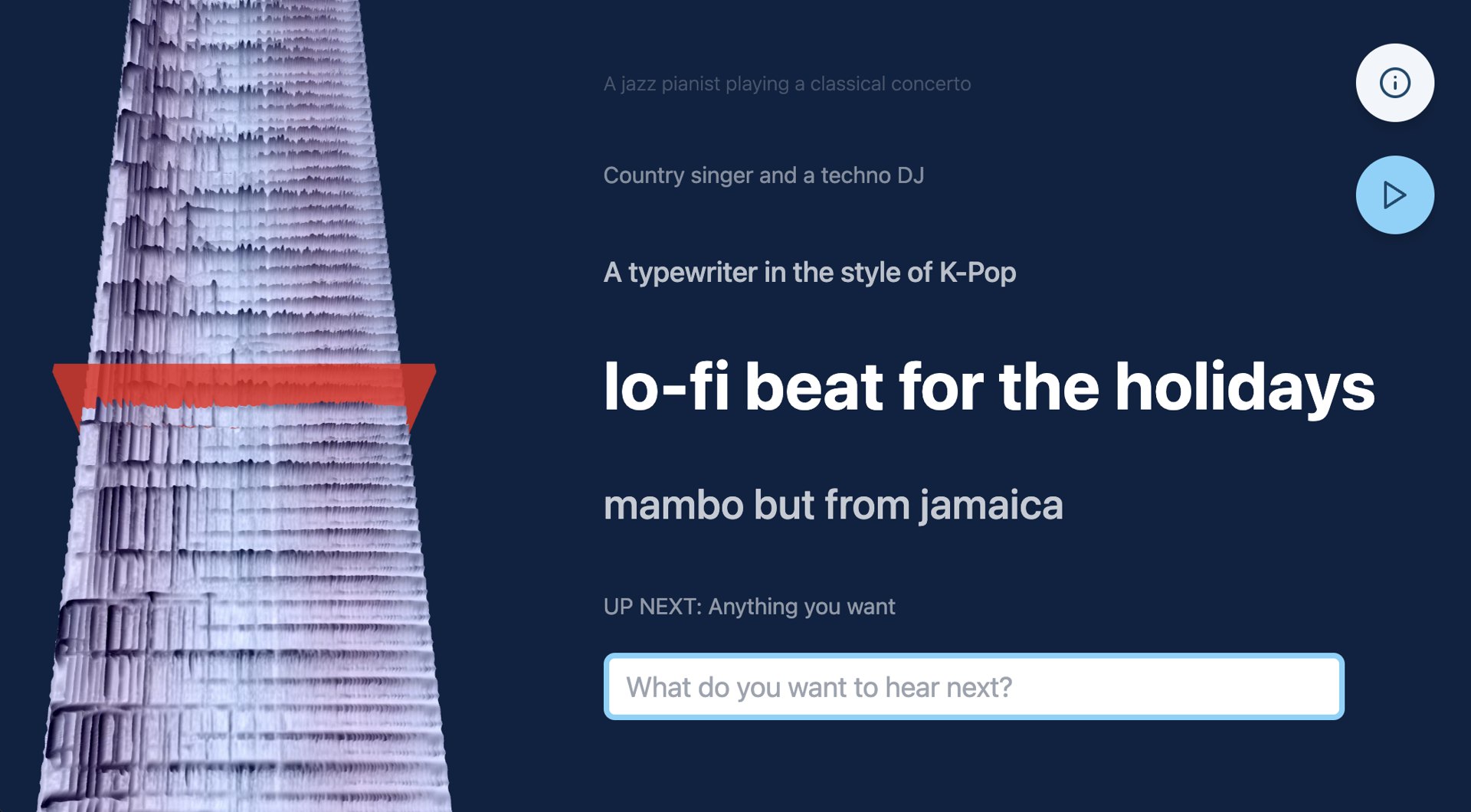
Original Riffusion interface · Forsgren & Martiros, 2022 · MIT
SD2112 · AI IN DESIGN · WEEK 06
23
MUSICGEN · 2023
Predict learned codes. Decode them into sound.
A neural audio codec represents short segments using discrete codes.
A transformer predicts code sequences conditioned on a description.
The codec decoder reconstructs the audio waveform.
SD2112 · AI IN DESIGN · WEEK 06
24
MACHINE B · SUNO
Your demo can guide a new musical proposal.
Supply your own exported demo as audio reference; describe the transformation.
Listen to the actual result: arrangement, pacing, timbre, voices and surprises.
Keep a candidate because it serves the brief—not because it arrived first.
Suno · generate through the configured Easel integration in the workshop.
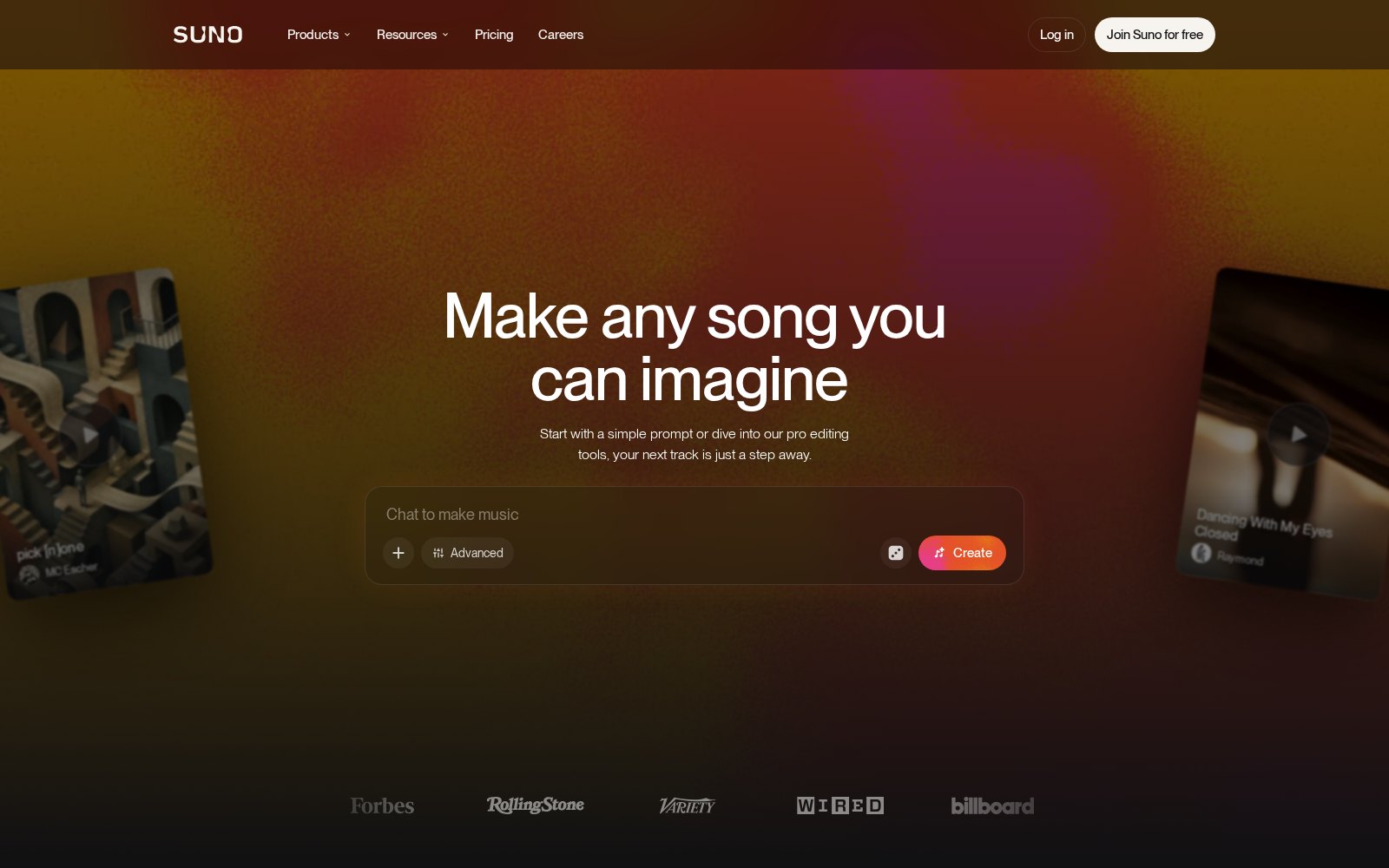
Public Suno landing page · 9 Oct 2026 · not the Easel interface.
SD2112 · AI IN DESIGN · WEEK 06
25
MACHINE B · LISTEN TO THE UNSPECIFIED CHOICES
The model fills gaps. You decide what stays.
REQUESTED
What did you ask for?
A listener, a moment, a mood, some instruments and constraints.
PROPOSED
What arrived anyway?
A key, an extra instrument, an ending, a voice or a familiar stylistic convention.
SELECTED
What did you keep?
Accept, reject or revise for a reason. Record the choice, not only the prompt.
SD2112 · AI IN DESIGN · WEEK 06
26
AUTHORSHIP · YOUR ORIGINAL INPUT
Your original demo is still your work.
INPUT
Keep your creation history.
Suno consumer terms say you retain your rights in your original demo. Exporting a file does not establish rights in borrowed loops or voices.
PERMISSION
Uploading grants a licence.
Suno receives a broad licence to use uploaded material, including service/model improvement. Ownership is not confidentiality.
CONSENT
Clear all contributions.
Use original or appropriately licensed notes, audio and lyrics. Obtain the necessary consent for collaborators and voices; attribution alone is not permission.
SD2112 · AI IN DESIGN · WEEK 06
27
RIGHTS · GENERATED OUTPUT
Permission is not a copyright guarantee.
Free/Basic consumer generations: personal, non-commercial use.
Pro/Premier: assigned Suno rights, subject to current terms; commercial use requires an approved download.
Paying later does not automatically license older free-plan songs. Copyright protection is not guaranteed.
Read the Suno terms. Check the Easel/provider agreement—not just a consumer plan.
SD2112 · AI IN DESIGN · WEEK 06
28
03 · AGENTS · A+B
Coordinate both machines.
THE AGENT IS NOT A THIRD MAGIC MUSIC MODEL
SD2112 · AI IN DESIGN · WEEK 06
29
AGENT HARNESS · PROPOSAL / EXECUTION / APPROVAL
The agent helps. You choose the reference.
MAKE
Write or play a demo.
You and an agent can write Strudel notes; the runtime plays explicit rules. GarageBand or another tool is also fine.
TRANSFORM
Give B your exported audio.
The agent supplies your rights-cleared demo to the supported Suno reference operation, tracks the job and saves its output.
DECIDE
Listen against your intent.
You decide what the model preserved or changed. The agent can help save or trim, but cannot guarantee identity, rights or quality.
SD2112 · AI IN DESIGN · WEEK 06
30
A+B · A DEMO BECOMES A REFERENCE
Keep an intention. Let the arrangement change.
Make a short motif or demo with notes, pulse and a chosen sound.
Export an audio file. MIDI or a screenshot alone is not the audio reference.
Use that file through Easel to guide Suno, with a clear transformation brief.
Listen: what stayed recognizable, what changed, and what serves the listener?
YOUR DEMO
Strudel / GarageBand / other tool

EXPORTED AUDIO
rights-cleared reference input

SUNO TRANSFORMATION
listen / choose / revise / save
SD2112 · AI IN DESIGN · WEEK 06
31
AFTER THE BREAK · DEMO → BRIEF → MAKING
Break.
Ten minutes.
SD2112 · AI IN DESIGN · WEEK 06
32
SD2112 · WEEK 06 · EASEL WORKSHOP
Your demo.
A new arrangement.
Make a motif. Export it. Use it as the reference. Listen.
INSTRUCTOR DEMO · AFTER THE BREAK
Play → export → reference → listen.
Make a simple demo in Strudel or GarageBand. Change notes, rhythm or timbre.
Export audio and replay that file—not only the editor preview.
Give Easel the exported demo; use the supported Suno reference workflow.
Hear the saved transformation. What recognisable feature survived?
SD2112 · AI IN DESIGN · WEEK 06
34
SETUP · CLASSROOM RELEASE
Choose a demo tool. Check the reference route.
Download Easel. Use the classroom version Gio identifies.
Open the Strudel starter, or use GarageBand or another available music tool.
Check Play/Stop, quiet headphones and export to an audio format the reference tool accepts.
Confirm Easel/Suno reference access. Pair up or use the labelled fallback if needed.
SD2112 · AI IN DESIGN · WEEK 06
35
SHARED BRIEF · A SONIC IDENTITY
Make a sound for one identity and moment.
Use your previous mark/product—or invent an identity. No personal recording needed.
Choose a listener and a moment: opening, arriving, completing, waiting.
Name one recognizable musical feature and one thing the sound must not do.
Make a short result, up to 30 seconds. Let your demo guide the generated version.
SD2112 · AI IN DESIGN · WEEK 06
36
THE SOUND SPEC · YOUR DECISIONS
Be precise about intent. Honest about control.
Numbers can be enforced in code—but a model may only approximate a numeric request.
Mood can be composed with rules or proposed by a learned model.
Judge on the intended device and in the intended moment.
Keep code, prompt, saved assets and one deliberate revision as process evidence.
LISTENER / IDENTITY
WHEN IT PLAYS
DESIRED EFFECT
LENGTH / PULSE
TIMBRE / MUSICAL FEATURE
MUST NOT
WHAT I WILL LISTEN FOR
SD2112 · AI IN DESIGN · WEEK 06
37
MAKING · 40 MINUTES · HEADPHONES ON
Demo → exported reference → transformation → save.
15 MIN
Make and export.
Build a small demo you can explain.
15 MIN
Transform from audio.
Supply that demo to Suno through Easel.
5 MIN
Listen and revise.
Keep or change a deliberate musical choice.
5 MIN
Check and save.
One final playable result; no intermediate submissions.
SD2112 · AI IN DESIGN · WEEK 06
38
ACTIVITY · 1 · MACHINE A · YOUR DEMO
15 min
Make and export a demo you can explain.
Use Strudel, GarageBand or another available tool to make a short original demo.
Choose notes, rhythm and sound. Change one thing; listen to the difference.
Export an audio file using the demonstrated route. Keep your code or project.
Replay the exported file. This is the reference—not a MIDI file or screenshot.
YOUR INPUT
A small motif is enough.
Use material you have rights to upload.
Make one deliberate change.
Export actual audio.
No compulsory intermediate submission.
SD2112 · AI IN DESIGN · WEEK 06
39
ACTIVITY · 2 · MACHINE B · USE THE REFERENCE
15 min
Transform your demo—not an unrelated prompt.
Give Easel your exported audio as the Suno reference input.
Ask for a new arrangement for the same identity and moment. Name what should remain recognisable.
Use the supported reference operation Gio demonstrates. Track the pending job; do not duplicate it.
Listen to a completed output and save it. Label any supplied fallback honestly.
ASK THE AGENT
Use this exported demo as reference.
Keep the intent and motif recognisable.
Describe the desired transformation.
Save the completed output.
Do not invent a successful upload.
SD2112 · AI IN DESIGN · WEEK 06
40
ACTIVITY · 3 · A+B · LISTEN AND REVISE
5 min
What did the reference actually change?
Replay your original demo, then the completed transformation. Stop competing players.
Identify one preserved feature and one changed or missing feature.
Keep the result, or make one supported edit or revision for your listener.
Check the final cue is up to 30 seconds. Trim with a tested tool if needed.
YOUR DECISION
Listen for the intended motif.
Do not claim fidelity from the prompt.
Keep one reason for your revision.
No compulsory A/B spliced timeline.
Do not regenerate by default.
SD2112 · AI IN DESIGN · WEEK 06
41
ACTIVITY · 4 · LISTEN AND SAVE
5 min
Check the final result—not just the preview.
Stop other players. Replay the arrangement at a quiet level.
Save/export using the classroom release’s tested route.
Reopen the saved result and check that it plays with sound.
Submit that one final result. Keep iterations for your own process record.
SD2112 · AI IN DESIGN · WEEK 06
42
ONE FINAL SUBMISSION · CANVAS
Submit your final playable result.
One saved file, or a working share link, in the classroom Canvas activity.
Submit your chosen final cue—not separate demo, generation and comparison uploads.
Check that it plays with sound. If export is WebM with audio, submit that file.
Keep your brief, code, prompt and iterations for your process record.
SD2112 · AI IN DESIGN · WEEK 06
43
DEBRIEF · WHICH CHOICES BECAME YOURS?
A result is not the whole creative process.
What did your written pattern make possible—or rule out?
What did the music model propose that you did not request?
What stayed recognisable when your exported demo became the reference?
Did the transformation help this listener? “Not this time” is a useful answer.
SD2112 · AI IN DESIGN · WEEK 06
44
REFLECTION · AFTER LISTENING
What made this sound yours: the demo, the prompt, or the listening decision?
Use one audible change from your demo and final result. Explain your contribution and its limits.
SD2112 · AI IN DESIGN · WEEK 06
45
REFLECTION · CONTROL AND RESPONSIBILITY
Which choice would you reclaim from the model—and why does it matter to your listener?
Name a concrete change, the evidence you heard, and whether you would act in code, reference, prompt or editing.
SD2112 · AI IN DESIGN · WEEK 06
46
WEEK 7 · MOCK QUIZ PRACTICE · NOT GRADED
Explain the difference before choosing an answer.
1 REPRESENTATION
MIDI or audio?
Which contains instrument events rather than a recorded waveform? Explain what supplies the sound.
2 PROCEDURE
Random means learned?
A written probability table selects notes. Is chance alone evidence that the system learned?
3 GENERATION
Codes or literal notes?
MusicGen predicts codec tokens. Must one token correspond to one musical note?
SD2112 · AI IN DESIGN · WEEK 06
47
CHALLENGE 5 · BRING TO WEEK 7
Thirty seconds of sound.
INTENT
For someone, at a moment.
A product or identity, a purpose and a short brief. Up to 30 seconds of sound.
PROCESS
A, B or both.
Keep the sound, a grid/timeline/spectrogram image and one deliberate revision. Name the tool/model and route used.
JUDGEMENT
Say what mattered.
What did you keep or change—and why? Note supplied assets and the terms that apply. Submit via Canvas.
SD2112 · AI IN DESIGN · WEEK 06
48
INDIVIDUAL REFLECTION · WEEK 7 · 20%
Turn listening into an evidence-led argument.
About 1000 words on AI in your creative process, especially Machine A and Machine B.
At least three of your own weekly-challenge experiments from Weeks 2–6, with images.
Use a concrete choice, output and revision to support a claim—not a list of tools.
End with a short AI-writing process note. Submit on Canvas in Week 7.
SD2112 · AI IN DESIGN · WEEK 06
49
Rules. Patterns.
Your listening.
Next week: quiz, pitches, teams—and your reflection.
SD2112 · WEEK 06 · venetanji.github.io/sd2112-teaching
a·t4x
POLYU SCHOOL OF DESIGN · SD2112 · WEEK 06
Music with rules. Music with learned patterns. Music with both.
SOUND AND MUSIC · THE ROADMAP
01 Sound, music and listening
02 Machine A · compose the procedure
03 Machine B · generate from patterns
04 Agents · coordinate A+B
05 Break, then play and export
06 Your demo becomes the reference
07 Listen, decide, submit
08 Challenge 5 · reflection · Week 7
LISTENING IS A DESIGN RELATION
SOUND · TIME DOMAIN
Click Play in HTML · one quiet sound, waveform, spectrum and waterfall · no microphone.
Open the live sketch › — Click Play · change pitch and waveform · watch frequency through time
DIGITAL AUDIO · TWO DIFFERENT CHOICES
SAMPLE RATE
44,100 samples per second is one common rate. A higher rate is not automatically a better composition.
BIT DEPTH
PCM bit depth sets quantization precision and affects available dynamic range. It is not the number of samples.
RECONSTRUCTION
A playback system reconstructs a signal, moves a speaker and changes air pressure. A file alone is not a listening experience.
SOUND · FREQUENCY DOMAIN
The spectrum measures frequency components in a short window.
FFT computes a discrete Fourier transform efficiently.
Change sine to sawtooth in the live sketch: harmonics appear.
Older spectra recede in the waterfall. Window size trades time and frequency resolution.
Frequency × time × relative level · analysis, not an equalizer effect.
Open the live sketch › — Play · SINE / TRIANGLE / SAWTOOTH · change pitch · Escape stops
SOUND · A PICTURE THROUGH TIME
Time × frequency · colour encodes magnitude or energy, not human loudness directly.
LISTENING · THE BODY IS NOT A NEUTRAL METER
Our sensitivity changes with frequency and listening level.
A sound’s meaning also depends on context, repetition and expectation.
Design for the listener and the device—not only the waveform.
Start quietly. Use headphones. Never test your hearing by raising the volume.
MUSIC · ONE ROLE AT A TIME
setcpm(100/4); // shared 100 BPM const rhythm = note("c2 ~ c2 ~") .s('sine').decay(0.08).sustain(0) .gain(0.25); rhythm
MUSIC · ONE ROLE AT A TIME
setcpm(100/4); // shared 100 BPM const bass = note("c2 c2 g2 c2") .s('triangle') .gain(0.18); bass
MUSIC · ONE ROLE AT A TIME
setcpm(100/4); // shared 100 BPM const harmony = note("[c3,e3,g3]") .s('sine') .gain(0.12); harmony
MUSIC · ONE ROLE AT A TIME
setcpm(100/4); // shared 100 BPM const melody = note("c4 e4 g4 b4") .s('sine') .gain(0.22); melody
REPRESENTATIONS · MIDI
A score is not a recording · the instrument or synthesizer supplies the sound.
01 · MACHINE A
SYNTHESIS · SEQUENCING · RULES · CHANCE
HILLER AND ISAACSON · 1956–57
Explicit constraints and probability generate material for a string quartet.
Generate → test → keep: chance proposes notes; written constraints select them.
Other experiments explore probability tables and Markov processes.
MACHINE A · TWO WRITTEN PROCEDURES
Illustrative constraints and probability table · not a transcription of the historical program.
MACHINE A · SYNTHESIS
An oscillator supplies a signal. An envelope shapes its attack and decay.
Combining and shaping signals creates timbre.
Sine, triangle, square and sawtooth are useful starting sounds.
A rule-based composition can be expressive: people design the rules and choose how to perform them.
MACHINE A · LIVE IN THE HTML DECK
Lecture instrument: four sine voices · eight steps · click Play for sound.
Open the live sketch › — Play starts quietly · click cells · adjust BPM · Stop or Escape
MACHINE A · STRUDEL
// Online Strudel editor: native synths only setcpm(100/4); // 100 beats per minute const rhythm = note("c2 ~ c2 ~") .s('sine').decay(0.08).sustain(0) .gain(0.25); const bass = note("c2 c2 g2 c2") .s('triangle') .gain(0.18); const harmony = note("[c3,e3,g3]") .s('sine') .gain(0.12); const melody = note("c4 e4 g4 b4") .s('sine') .gain(0.22); stack(rhythm, bass, harmony, melody)
MACHINE A · WHERE DID THE CHOICE GO?
FIX
A note pattern, entry point or duration can be specified explicitly.
VARY
Choose the possible notes, their probabilities or a permitted timing variation.
LISTEN
Predictability is not automatically boring; randomness is not automatically creative.
02 · MACHINE B
EXAMPLES · REPRESENTATIONS · LEARNED POSSIBILITIES
MACHINE B · TWO DOCUMENTED APPROACHES
Historical Riffusion v1 and MusicGen illustrate mechanisms—not Suno’s unpublished internals.
RIFFUSION V1 · 2022
Stable Diffusion 1.5 was fine-tuned on spectrogram images with text descriptions.
A prompt conditions a new magnitude-spectrogram image.
A reconstruction stage estimates phase and converts it back to audio.
Read the original Riffusion model card
Original Riffusion interface · Forsgren & Martiros, 2022 · MIT
MUSICGEN · 2023
A neural audio codec represents short segments using discrete codes.
A transformer predicts code sequences conditioned on a description.
The codec decoder reconstructs the audio waveform.
MACHINE B · SUNO
Supply your own exported demo as audio reference; describe the transformation.
Listen to the actual result: arrangement, pacing, timbre, voices and surprises.
Keep a candidate because it serves the brief—not because it arrived first.
Suno · generate through the configured Easel integration in the workshop.
Public Suno landing page · 9 Oct 2026 · not the Easel interface.
MACHINE B · LISTEN TO THE UNSPECIFIED CHOICES
REQUESTED
A listener, a moment, a mood, some instruments and constraints.
PROPOSED
A key, an extra instrument, an ending, a voice or a familiar stylistic convention.
SELECTED
Accept, reject or revise for a reason. Record the choice, not only the prompt.
AUTHORSHIP · YOUR ORIGINAL INPUT
INPUT
Suno consumer terms say you retain your rights in your original demo. Exporting a file does not establish rights in borrowed loops or voices.
PERMISSION
Suno receives a broad licence to use uploaded material, including service/model improvement. Ownership is not confidentiality.
CONSENT
Use original or appropriately licensed notes, audio and lyrics. Obtain the necessary consent for collaborators and voices; attribution alone is not permission.
RIGHTS · GENERATED OUTPUT
Free/Basic consumer generations: personal, non-commercial use.
Pro/Premier: assigned Suno rights, subject to current terms; commercial use requires an approved download.
Paying later does not automatically license older free-plan songs. Copyright protection is not guaranteed.
Read the Suno terms. Check the Easel/provider agreement—not just a consumer plan.
03 · AGENTS · A+B
THE AGENT IS NOT A THIRD MAGIC MUSIC MODEL
AGENT HARNESS · PROPOSAL / EXECUTION / APPROVAL
MAKE
You and an agent can write Strudel notes; the runtime plays explicit rules. GarageBand or another tool is also fine.
TRANSFORM
The agent supplies your rights-cleared demo to the supported Suno reference operation, tracks the job and saves its output.
DECIDE
You decide what the model preserved or changed. The agent can help save or trim, but cannot guarantee identity, rights or quality.
A+B · A DEMO BECOMES A REFERENCE
Make a short motif or demo with notes, pulse and a chosen sound.
Export an audio file. MIDI or a screenshot alone is not the audio reference.
Use that file through Easel to guide Suno, with a clear transformation brief.
Listen: what stayed recognizable, what changed, and what serves the listener?
YOUR DEMO
Strudel / GarageBand / other tool
EXPORTED AUDIO
rights-cleared reference input
SUNO TRANSFORMATION
listen / choose / revise / save
AFTER THE BREAK · DEMO → BRIEF → MAKING
SD2112 · WEEK 06 · EASEL WORKSHOP
Make a motif. Export it. Use it as the reference. Listen.
INSTRUCTOR DEMO · AFTER THE BREAK
Make a simple demo in Strudel or GarageBand. Change notes, rhythm or timbre.
Export audio and replay that file—not only the editor preview.
Give Easel the exported demo; use the supported Suno reference workflow.
Hear the saved transformation. What recognisable feature survived?
SETUP · CLASSROOM RELEASE
Download Easel. Use the classroom version Gio identifies.
Open the Strudel starter, or use GarageBand or another available music tool.
Check Play/Stop, quiet headphones and export to an audio format the reference tool accepts.
Confirm Easel/Suno reference access. Pair up or use the labelled fallback if needed.
SHARED BRIEF · A SONIC IDENTITY
Use your previous mark/product—or invent an identity. No personal recording needed.
Choose a listener and a moment: opening, arriving, completing, waiting.
Name one recognizable musical feature and one thing the sound must not do.
Make a short result, up to 30 seconds. Let your demo guide the generated version.
THE SOUND SPEC · YOUR DECISIONS
Numbers can be enforced in code—but a model may only approximate a numeric request.
Mood can be composed with rules or proposed by a learned model.
Judge on the intended device and in the intended moment.
Keep code, prompt, saved assets and one deliberate revision as process evidence.
LISTENER / IDENTITY WHEN IT PLAYS DESIRED EFFECT LENGTH / PULSE TIMBRE / MUSICAL FEATURE MUST NOT WHAT I WILL LISTEN FOR
MAKING · 40 MINUTES · HEADPHONES ON
15 MIN
Make and export.
Build a small demo you can explain.
15 MIN
Transform from audio.
Supply that demo to Suno through Easel.
5 MIN
Listen and revise.
Keep or change a deliberate musical choice.
5 MIN
Check and save.
One final playable result; no intermediate submissions.
ACTIVITY · 1 · MACHINE A · YOUR DEMO
Use Strudel, GarageBand or another available tool to make a short original demo.
Choose notes, rhythm and sound. Change one thing; listen to the difference.
Export an audio file using the demonstrated route. Keep your code or project.
Replay the exported file. This is the reference—not a MIDI file or screenshot.
YOUR INPUT A small motif is enough. Use material you have rights to upload. Make one deliberate change. Export actual audio. No compulsory intermediate submission.
ACTIVITY · 2 · MACHINE B · USE THE REFERENCE
Give Easel your exported audio as the Suno reference input.
Ask for a new arrangement for the same identity and moment. Name what should remain recognisable.
Use the supported reference operation Gio demonstrates. Track the pending job; do not duplicate it.
Listen to a completed output and save it. Label any supplied fallback honestly.
ASK THE AGENT Use this exported demo as reference. Keep the intent and motif recognisable. Describe the desired transformation. Save the completed output. Do not invent a successful upload.
ACTIVITY · 3 · A+B · LISTEN AND REVISE
Replay your original demo, then the completed transformation. Stop competing players.
Identify one preserved feature and one changed or missing feature.
Keep the result, or make one supported edit or revision for your listener.
Check the final cue is up to 30 seconds. Trim with a tested tool if needed.
YOUR DECISION Listen for the intended motif. Do not claim fidelity from the prompt. Keep one reason for your revision. No compulsory A/B spliced timeline. Do not regenerate by default.
ACTIVITY · 4 · LISTEN AND SAVE
Stop other players. Replay the arrangement at a quiet level.
Save/export using the classroom release’s tested route.
Reopen the saved result and check that it plays with sound.
Submit that one final result. Keep iterations for your own process record.
ONE FINAL SUBMISSION · CANVAS
One saved file, or a working share link, in the classroom Canvas activity.
Submit your chosen final cue—not separate demo, generation and comparison uploads.
Check that it plays with sound. If export is WebM with audio, submit that file.
Keep your brief, code, prompt and iterations for your process record.
DEBRIEF · WHICH CHOICES BECAME YOURS?
What did your written pattern make possible—or rule out?
What did the music model propose that you did not request?
What stayed recognisable when your exported demo became the reference?
Did the transformation help this listener? “Not this time” is a useful answer.
REFLECTION · AFTER LISTENING
Use one audible change from your demo and final result. Explain your contribution and its limits.
ClassPoint · short answer — answer on the projector
REFLECTION · CONTROL AND RESPONSIBILITY
Name a concrete change, the evidence you heard, and whether you would act in code, reference, prompt or editing.
ClassPoint · short answer — answer on the projector
WEEK 7 · MOCK QUIZ PRACTICE · NOT GRADED
1 REPRESENTATION
Which contains instrument events rather than a recorded waveform? Explain what supplies the sound.
2 PROCEDURE
A written probability table selects notes. Is chance alone evidence that the system learned?
3 GENERATION
MusicGen predicts codec tokens. Must one token correspond to one musical note?
CHALLENGE 5 · BRING TO WEEK 7
INTENT
A product or identity, a purpose and a short brief. Up to 30 seconds of sound.
PROCESS
Keep the sound, a grid/timeline/spectrogram image and one deliberate revision. Name the tool/model and route used.
JUDGEMENT
What did you keep or change—and why? Note supplied assets and the terms that apply. Submit via Canvas.
INDIVIDUAL REFLECTION · WEEK 7 · 20%
About 1000 words on AI in your creative process, especially Machine A and Machine B.
At least three of your own weekly-challenge experiments from Weeks 2–6, with images.
Use a concrete choice, output and revision to support a claim—not a list of tools.
End with a short AI-writing process note. Submit on Canvas in Week 7.
Next week: quiz, pitches, teams—and your reflection.
SD2112 · WEEK 06 · VENETANJI.GITHUB.IO/SD2112-TEACHING